Mandelbrots on the BBC Micro
At the end of the last fractal post I joked about leaving the BBC Micro on overnight for a single picture. So this time I went back to where it started for me: BBC BASIC in MODE 2. I had Claude drive the MacBeeb emulator and type the programs in at the > prompt, with the emulator window open so I could watch it go, one key at a time, the way I used to copy listings out of magazines.
There are three programs, and they’re now in the bbc/ folder of my fractals repo, as plain listings and on a DFS disc image.
MANDEL: the classic
MODE 2 gives you 160×256 pixels in eight colours, with pixels twice as wide as they are tall. MANDEL is the straightforward version: for each pixel, iterate z → z² + c up to 32 times, and colour it by how quickly it escapes, cycling through the seven colours that aren’t black.
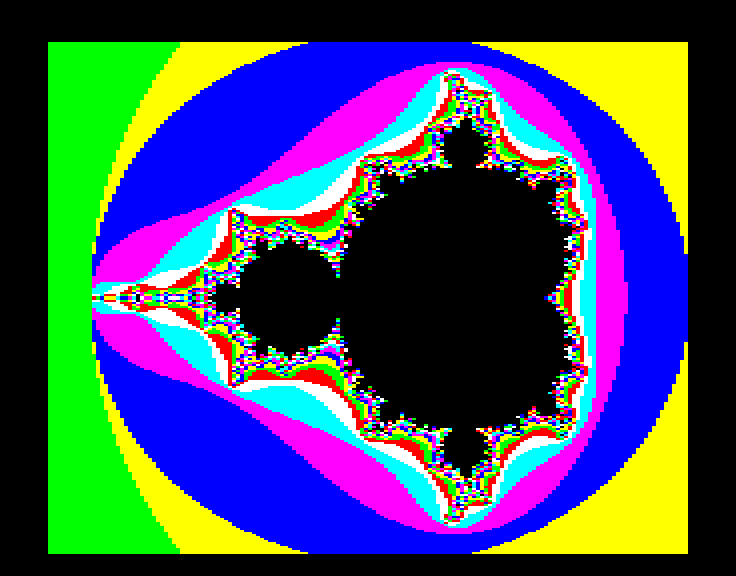
It uses a couple of tricks to save time. The set is symmetric about the real axis, so it only works out the top half and plots every pixel twice, filling in from the top and bottom edges towards the middle. It also spots points in the main cardioid and the big circle to its left with a direct formula. Those points never escape, so they’d otherwise each take the full 32 iterations.
It’s faster than I remember
Watching it, it seemed a lot quicker than I remembered. It wasn’t. To get to the end, Claude was fast-forwarding the emulator, which runs the BBC as fast as the PC can manage. The emulator keeps count of time as the BBC sees it, though. By that clock, a real 2 MHz Model B takes about 39 minutes for one screen. That fits my memory much better.
Almost all of that time goes on floating-point maths. BBC BASIC stores numbers in five bytes and works through each multiply in software, on a CPU with no multiply instruction.
MANDEL2: resolving the picture
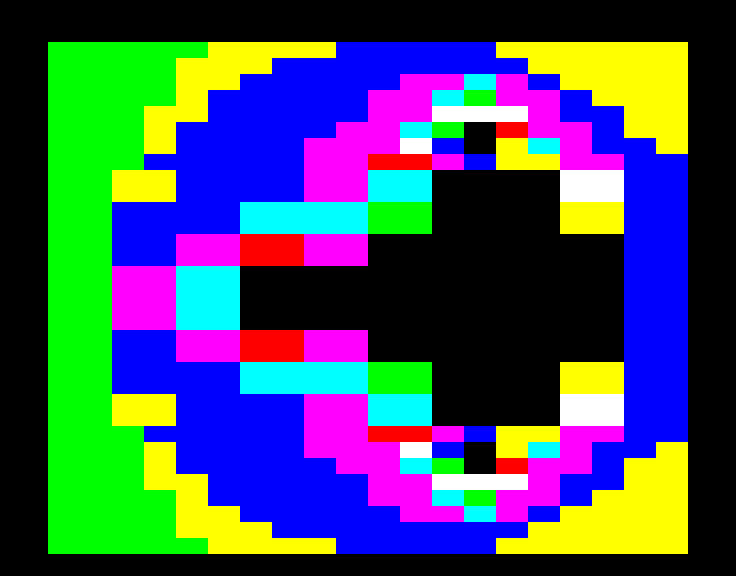
Waiting 39 minutes for a picture that fills in from the edges doesn’t make for an exciting watch. MANDEL2 starts with a single block that fills the whole screen, then halves the block size each pass: 256, 128, 64 and so on, down to single pixels. Each block takes the colour of its corner point, so the picture sharpens like a slow download.
 |
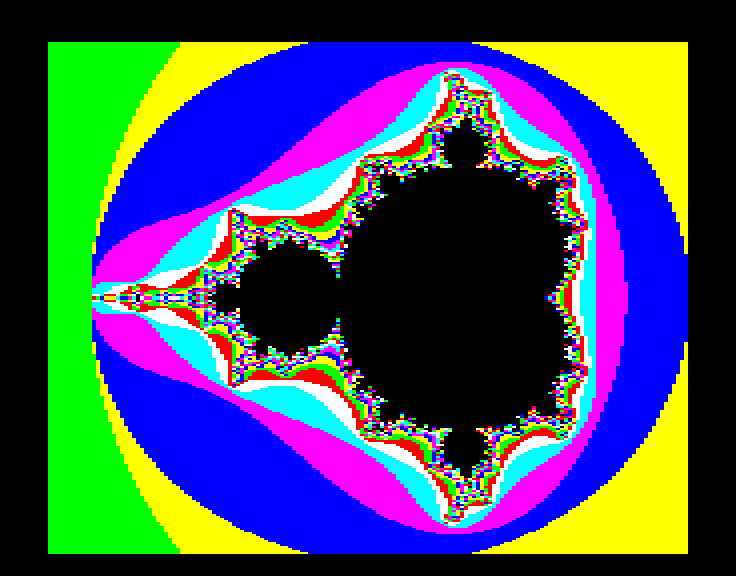 |
| Part-way through the 4-pixel pass | Finished |
Each pass only works out the new points. The ones on the previous pass’s grid are already the right colour, so every pixel is still worked out just once. The catch is that OS 1.20 on the Model B has no rectangle fill, so every block is drawn as two filled triangles. That adds about 4 minutes, so a full screen takes 43 minutes. But you can see the set within the first minute.
MANDEL3: more colours than you’ve got
This one’s my favourite. The Master 128 has Extended Colour Fill (ECF) patterns, which the Graphics Extension ROM had added to earlier BBCs. They let you fill with a dithered tile of colours instead of a solid one. I’d forgotten all about them until I started thinking about how to get smoother shading than eight colours allows.
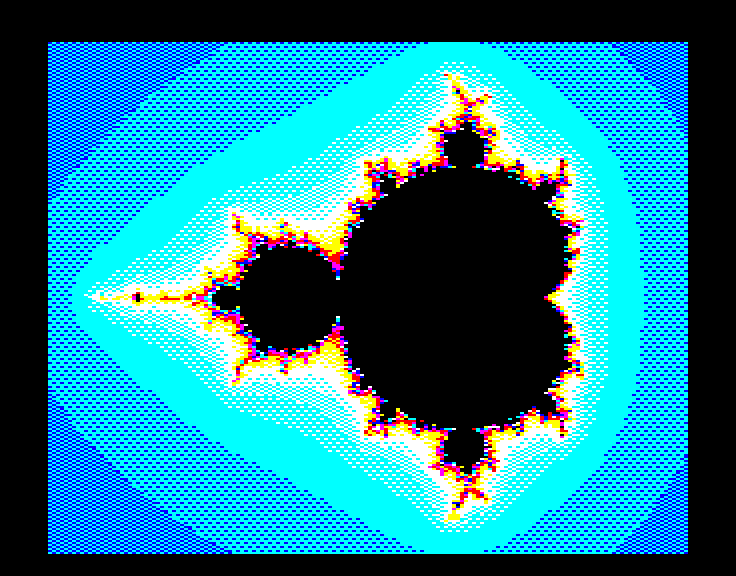
MANDEL3 uses the same smooth colouring as my Pascal programs: an escape radius of 256 and a fractional count, n + 1 − log₂(log|z|). That count picks a place on a ramp of blue, cyan, white, yellow, red and magenta. Between each pair of neighbouring colours there are three dithered mixes (25%, 50% and 75%), each defined with VDU 23,12 as a little 2×4 pixel tile. That turns six colours into 24 shades. The pattern is fixed to the screen, so even when you fill a single pixel with it, the pixels next to each other pick out different parts of the tile and the dither comes out even.
The early passes look rather nice too, since the big blocks show off the dither patterns:
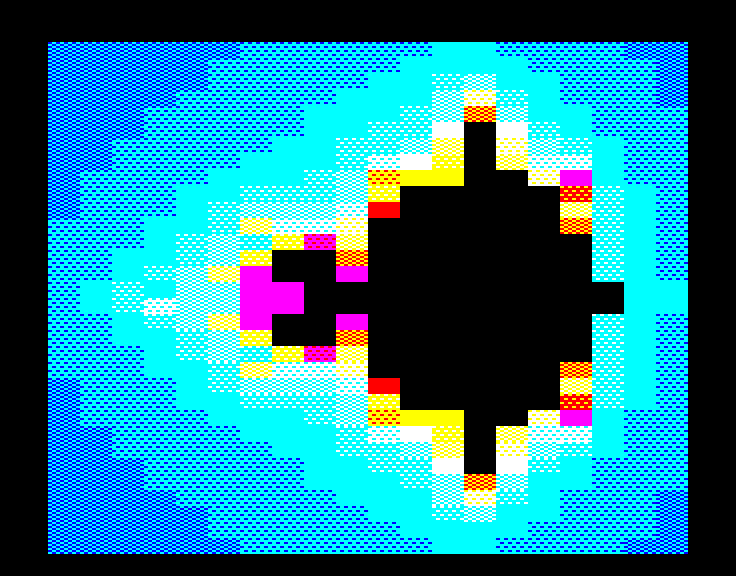
It also uses the Master’s rectangle fill (PLOT 101) instead of pairs of triangles, and does up to 64 iterations instead of 32.
The second processor
I’d hoped to run MANDEL3 on the ARM Evaluation System, Acorn’s ARM1 second processor from 1986, which MacBeeb emulates. Unfortunately ARM BBC BASIC came on that system’s own disc, not in ROM, and I don’t have a copy. Typing *BASIC at its A* prompt just tried to run the Master’s 6502 BASIC ROM on the ARM, which crashed straight away with an address exception.
So it ran on a Master Turbo instead: a 4 MHz 65C102 on the Master’s internal Tube, running BASIC while the Master does the screen. Even with twice the iterations and a much larger escape radius, it took about 27½ minutes.
| Program | Machine | Time (emulated) |
|---|---|---|
MANDEL |
Model B, 2 MHz | about 39 min |
MANDEL2 |
Model B, 2 MHz | about 43 min |
MANDEL3 |
Master 128 with Master Turbo | about 27½ min |
For comparison, my multithreaded Pascal explorer draws a frame in well under a second.
Getting it onto a disc
One snag along the way: SAVE "MANDEL" worked inside the emulator, but it never wrote back to the .ssd file on my disk. So Claude copied the tokenised program straight out of BBC memory, from PAGE to TOP, and built the DFS catalogue by hand: file name, load and execution addresses, length and start sector. Then it loaded each program back in the emulator to check it listed properly.
Trying it yourself
Grab bbc/mandel.ssd from the repo and load it into drive 0 of any BBC emulator, such as MacBeeb, which I used for all of this, or jsbeeb in your browser. Then:
CHAIN "MANDEL"
CHAIN "MANDEL2"
CHAIN "MANDEL3"
MANDEL3 needs a Master 128 for the ECF patterns and rectangle fill. Or type a listing in yourself from the .bas files, for the full 1980s experience. Press any key when it’s finished to get back to MODE 7.