#Virtual-Machine
10 posts tagged “Virtual-Machine”
10 posts tagged “Virtual-Machine”
Installing Linux Mint 10 (Julia) on a VirtualBox VM with BTRFS filesystem.
Using the release candidate 1 CD
Initial install disk
Hard disk configuration
You have choose the advanced disk setup to create a small boot partition of either ext3 or 4 and a larger BTRFS partition.
Post Install
Post install after enabling the VirtualBox tools as detailed here.
Installing Websphere 7
Installing WebSphere 7 on Linux Mint 10, make sure the /bin/sh is
linked to bash not dash before you start.
Doodle’s Geek Monkey by Alastair Montgomery

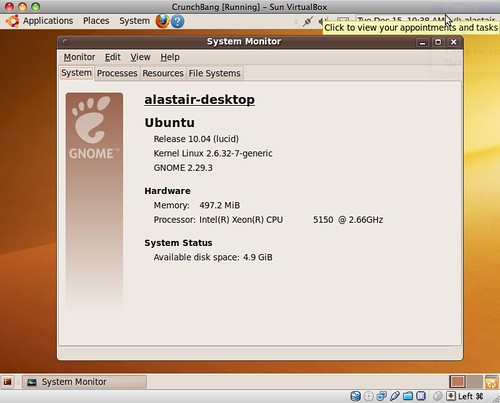
First look at Chrome OS running in a VM by following the instructions on gHacks


 This covers converting from VirtualBox to VMWare not the other way around.
I’ve search the net and all the instructions seemed to be long winded using third party products as a middle step. Things have moved on this might be easy now.
With VirtualBox 2.2.2 you can export your machine as an Appliance using the Open Virtualization Format (OVF). The VMWare vCenter Converter 4.0.1 (free download) imports OVF Appliances.
Sounds too good to be true?
Note: 27 of this post’s 40 links are now broken — mostly dead 2008–2013 feed-syndication infrastructure (FeedBurner, Gawker, AOL’s old blog network, Pheedo, Yahoo Pipes). Left as originally published.
Virtual Machine basics
 Virtual machines can seem juuuuust a bit too geeky for most otherwise computer-friendly people. That’s sad, because it’s an easy, free way to try or use a separate OS without messing with your hard drive.


